Cholecystectomy
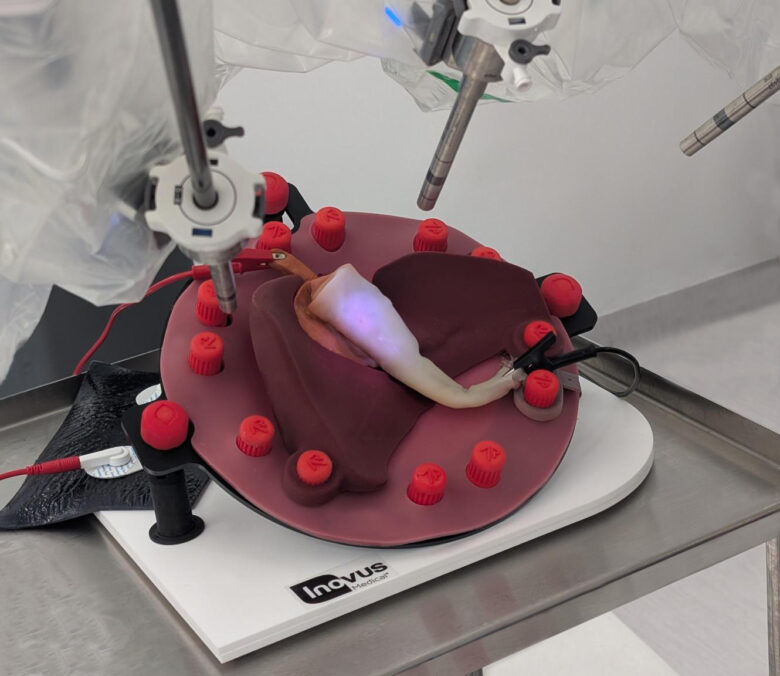

The Flouresence enabled, energy compatible ‘synthetic cadaver’ for robotic and laparoscopic cholecystectomy training.
Setup 1
This setup is advised for those users who wish to lay the model flat on the bottom of their simulator, or for those whose simulator may not fit the assembly in Setup 2.
Dimensions found in the tech sheet.
Assembly instructions
For the flouresence enabled, energy compatible ‘synthetic cadaver’ for laparoscopic cholecystectomy training.
Insert the model and puck
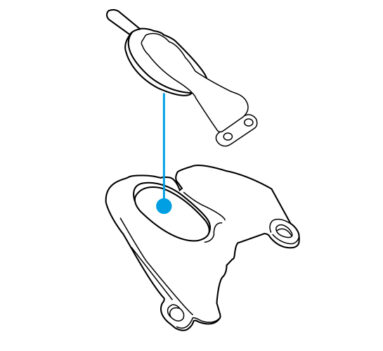
- Take the cholecystectomy model and puck.
- Insert both into the recess within the liver model, ensuring the spine pierces the liver model.
- Make sure the tab on the puck is facing upward, away from the liver model.
Mount the assembly
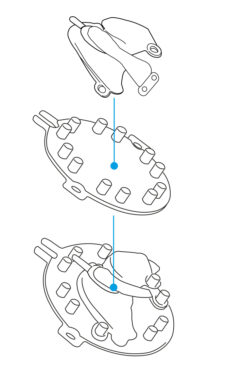
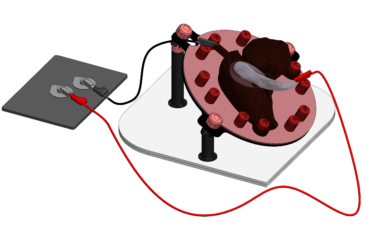
- Place the cholecystectomy model, puck, and liver model onto the model mounting jig (MMJ) as shown.
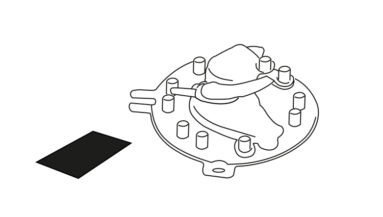
Prepare the workspace
- Lay the assembled model and MMJ flat on the desktop.
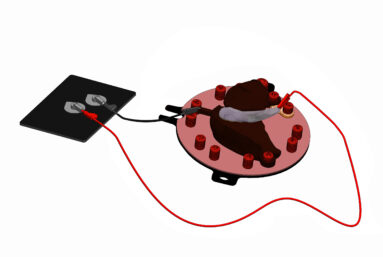
- Position the LABrange Monopolar grounding pad next to the assembled MMJ.
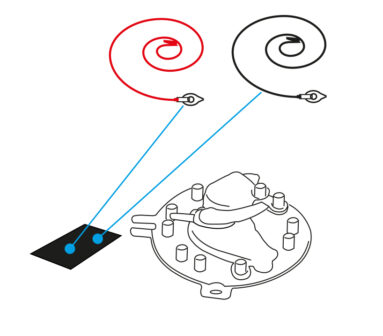
Connect the energy pads
- Connect the LABrange energy pads to the grounding pad as shown in the diagram.
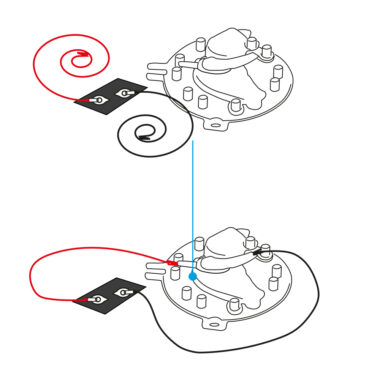
Attach the crocodile clips
- Attach the red crocodile clip to the tab at the top of the cholecystectomy model.
- Attach the black crocodile clip to the bottom of the cholecystectomy onto the hydrogel tissue.
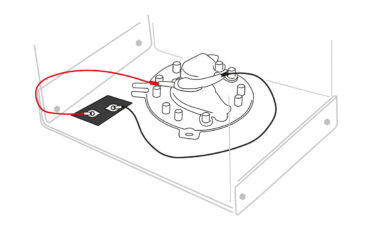
Final placement
- Once assembled, place the complete system either on a desktop or on the base of your box trainer.
Setup 2
This setup is recommended for users who plan to have the model mounted at an angle inside or outside of a simulated abdominal simulator.
Assembly instructions
For Flouresence enabled, energy compatible ‘synthetic cadaver’ for robotic cholecystectomy training
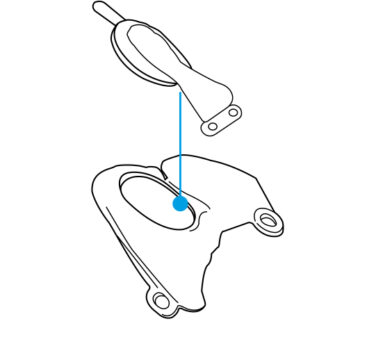
Insert the model and puck
- Take the cholecystectomy model and puck.
- Insert both into the recess within the liver model, ensuring the spine pierces the liver model.
- Ensure the tab on the puck is facing upward, away from the liver model.
Mount the assembly
- Place the cholecystectomy model, puck, and liver model onto the Model Mounting Jig (MMJ) as shown.
- Lay the assembled unit to the side on a desktop.
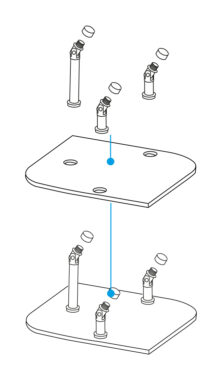
Construct the model positioning system (MPS)
- Take the three pillars and insert them into the base plate as shown.
- Remove the three red caps from the tops of the pillars.
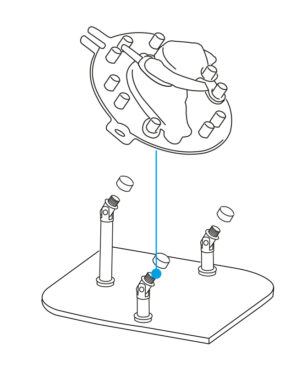
Combine both MMJ and MPS
- Place the assembled MMJ and model onto the pillars as shown.
- Screw the red caps back on securely, ensuring the MMJ slopes downward, with the tallest pillar positioned at the back of the MPS.
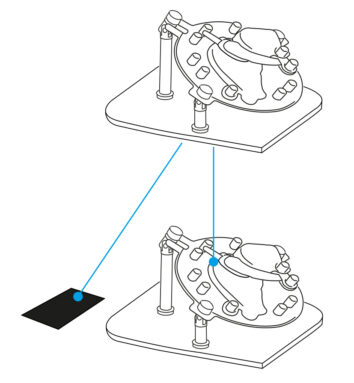
Prepare the workspace
- Lay the assembled model and MMJ flat on the desktop.
- Position the LABrange Monopolar grounding pad next to the assembled MMJ.
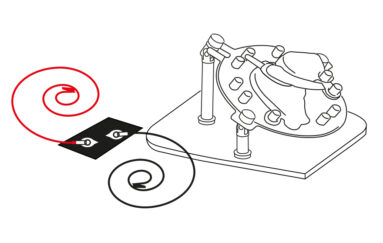
Connect the energy pads
- Connect the LABrange energy pads to the grounding pad as shown in the diagram.
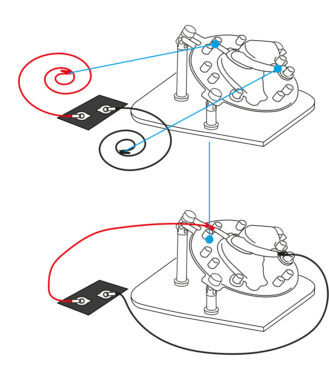
Attach the crocodile clips
- Attach the red crocodile clip to the tab at the top of the cholecystectomy model.
- Attach the black crocodile clip to the bottom of the cholecystectomy hydrogel tissue.
Downloads
You can save the Cholecystectomy model LABrange data and technical sheets below. Or print this page for a hard copy version.
Was this article helpful?
We’re sorry to hear that.
Please can you give us some feedback to improve this page?
If you’d like a member of our support team to get back to you, please send a message to support@inovus.org